There is only one function used to replace backgrounds...
| Argument | Description |
|---|---|
| type | Which sprite will be replaced? (See table) |
| sprite asset | The existing sprite asset that'll be used to replace the sprite. |
| Type | Description |
|---|---|
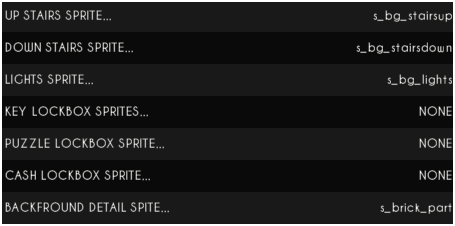
| stairsup | The stairs (going up) sprite. |
| stairsdown | The stairs (going down) sprite. |
| lights | The wall lights sprite. (Must be transparent, with 4 frames!) |
| cashbox | The unlockable cashbox sprite. (Must have 3 frames!) |
| puzzlebox | The puzzlebox sprite. |
| lockbox | The lockbox sprite. |
| detail | The junk detail sprites that are added to the background. (Must be transparent!) |
When changing the property in the authoring tools, the options will look like this...